UX / Product Designer

Jackie Diaz — designing digital experiences people actually want to use.

Crafting thoughtful digital experiences that balance beautiful visual design with accessibility, usability, and functionality.

About

A little about how I work.

My background in graphic design and marketing, built on a strong foundation of UX design principles, has shaped me into a designer who values creating visually engaging experiences without compromising usability, accessibility, or functionality.

"Beautiful design does not have to come at the expense of usability."

Skills & tools
User research Wireframing Prototyping Usability testing Visual design Design systems Figma Adobe Suite Google Analytics Google Ads Meta Suite
Case Study — Vol. 01
TrailSync
Every adventure. One shared workspace.

A collaborative platform for multi-day bikepacking adventures.

In this case study
  • Core features
  • Trip management
  • Navigation and social
View Prototype
App Context

About TrailSync

TrailSync is a collaborative mobile app designed to simplify the planning and management of multi-day bikepacking adventures. By bringing routes, files, expenses, trip details, and group communication into one shared workspace, TrailSync helps riders spend less time coordinating and more time exploring.
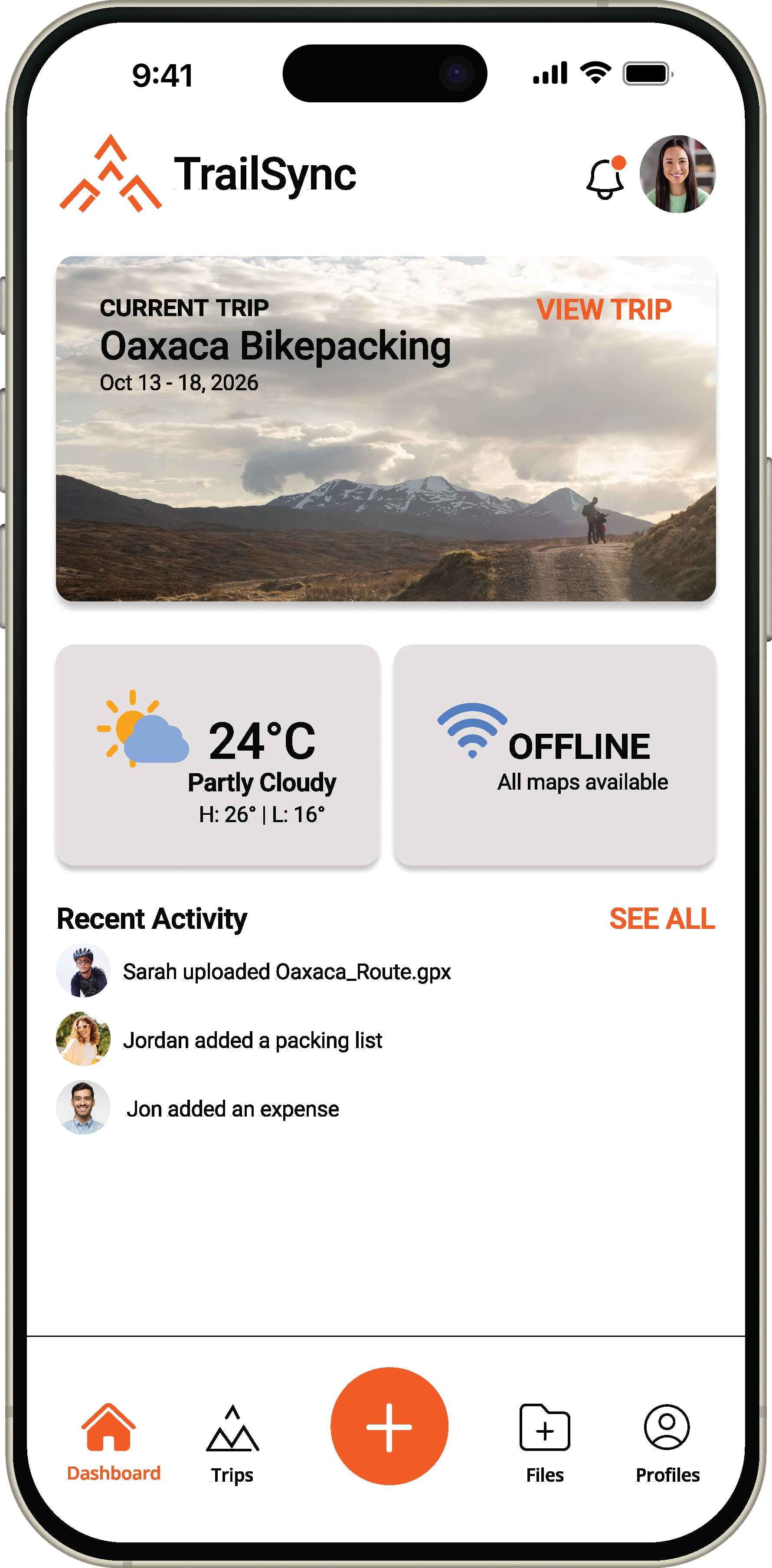
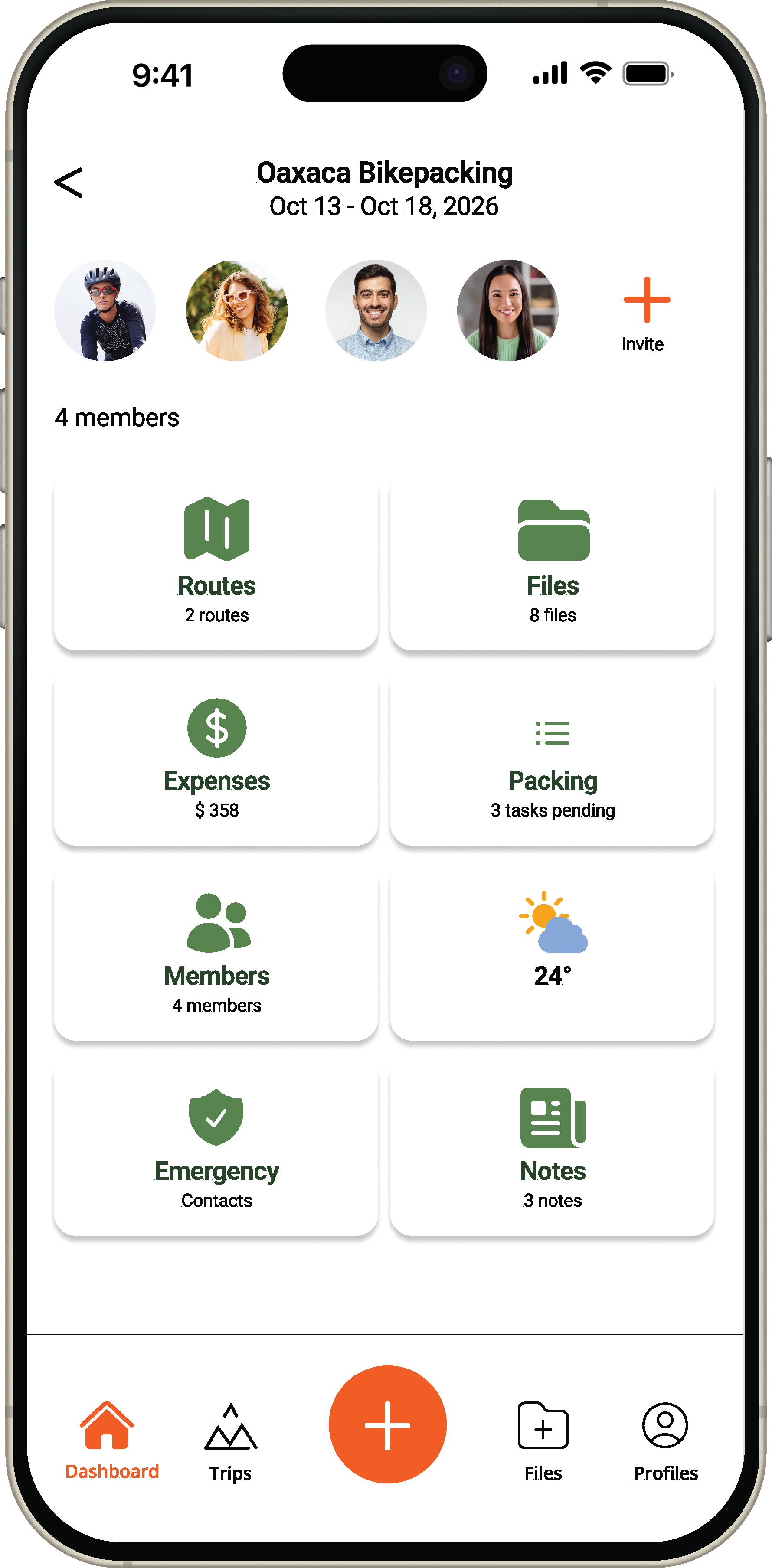
TrailSync Dashboard screen showing the current trip, weather, offline status, and recent activity TrailSync Trip Workspace screen showing routes, files, expenses, packing, members, and weather
Overview

Problem

Planning a multi-day bikepacking trip requires groups to juggle multiple disconnected tools — including mapping apps, messaging platforms, shared documents, weather apps, and expense trackers. As trips become more complex, important information becomes fragmented, making coordination difficult and increasing the burden on the trip organizer.

Research

Conducted interviews with outdoor enthusiasts and combined those findings with my own experience organizing community rides and bikepacking trips. While planning styles varied, several consistent patterns emerged.

Design Opportunity

How might we create a collaborative workspace that keeps every rider, route, and resource synchronized before and during a multi-day bikepacking adventure?

Information was fragmented

Groups relied on multiple apps to organize a single trip.

One person became the coordinator

The organizer carried most of the responsibility for routes, logistics, files, and communication.

Offline access was critical

Participants needed reliable access to maps and important documents when outside cell service.

Everyone wanted a single source of truth

Users wanted one place where the latest route, itinerary, files, and updates were always available.

Structure

Information Architecture

How TrailSync's core sections and features are organized.

TrailSync
Dashboard
Overview of your current adventure
  • Current Trip
    Workspace for your active trip
  • Weather Widget
    Temp + conditions
  • Offline Status
    Maps downloaded?
  • Quick Stats
    Files / Expenses / Members
  • Recent Activity
    Collaborator updates feed
Trips
View all your adventures
  • All Trips
    Past + upcoming
  • Trip Details
    Links into Trip workspace
Create Trip
Start a new adventure
  • Trip Workspace
    Workspace for your active trip
    • Routes
      Saved routes, GPX, offline maps
    • Files
      GPX, docs, photos
    • Expenses
      Transactions, split costs
    • Packing
      Checklist, shared gear
    • Weather
      Forecast, alerts
    • Emergency
      Contacts, medical info
    • Notes
      Ride notes, reminders
Files
Access all your files in one place
  • Trip Documents
    Shared beyond one trip
Profile
Manage your account and preferences
  • Settings
    App preferences
  • Offline Maps
    Manage downloaded maps
  • Downloads
    Offline files and content
User Flows

How riders move through the app

Flow 01 — Create a New Trip
This flow shows how a user creates a new trip and invites collaborators to join.
1 Dashboard User lands on the dashboard 2 Tap "Create Trip" Overview of your current adventure 3 Enter Trip Details Trip name, dates, destination 4 Choose Trip Type Select adventure type • Bikepacking • Mountain Biking • etc 6 Create Adventure Shared trip workspace is created 7 Trip Workspace You're ready to plan 5 Invite Riders? Would you like to invite collaborators? No Yes 5a Search Riders Find riders by name or email 5b Send Invite Invite riders to join the trip
Flow 02 — Upload a GPX Route
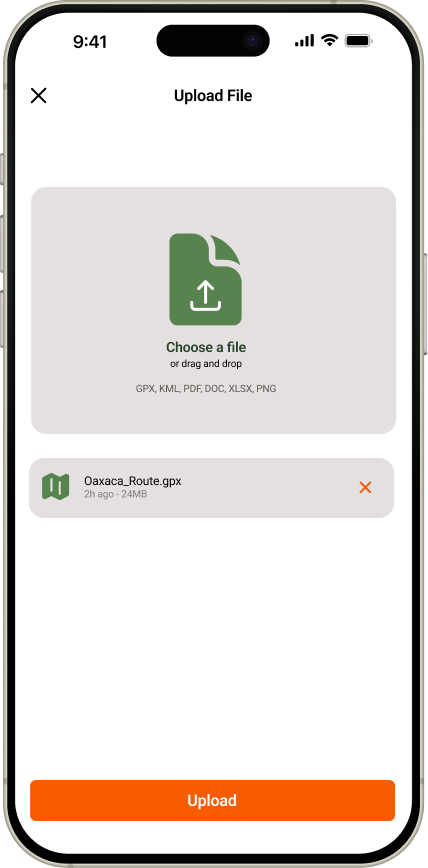
This flow demonstrates how a rider uploads a GPX route to a shared trip workspace, making the latest navigation files available to all trip members.
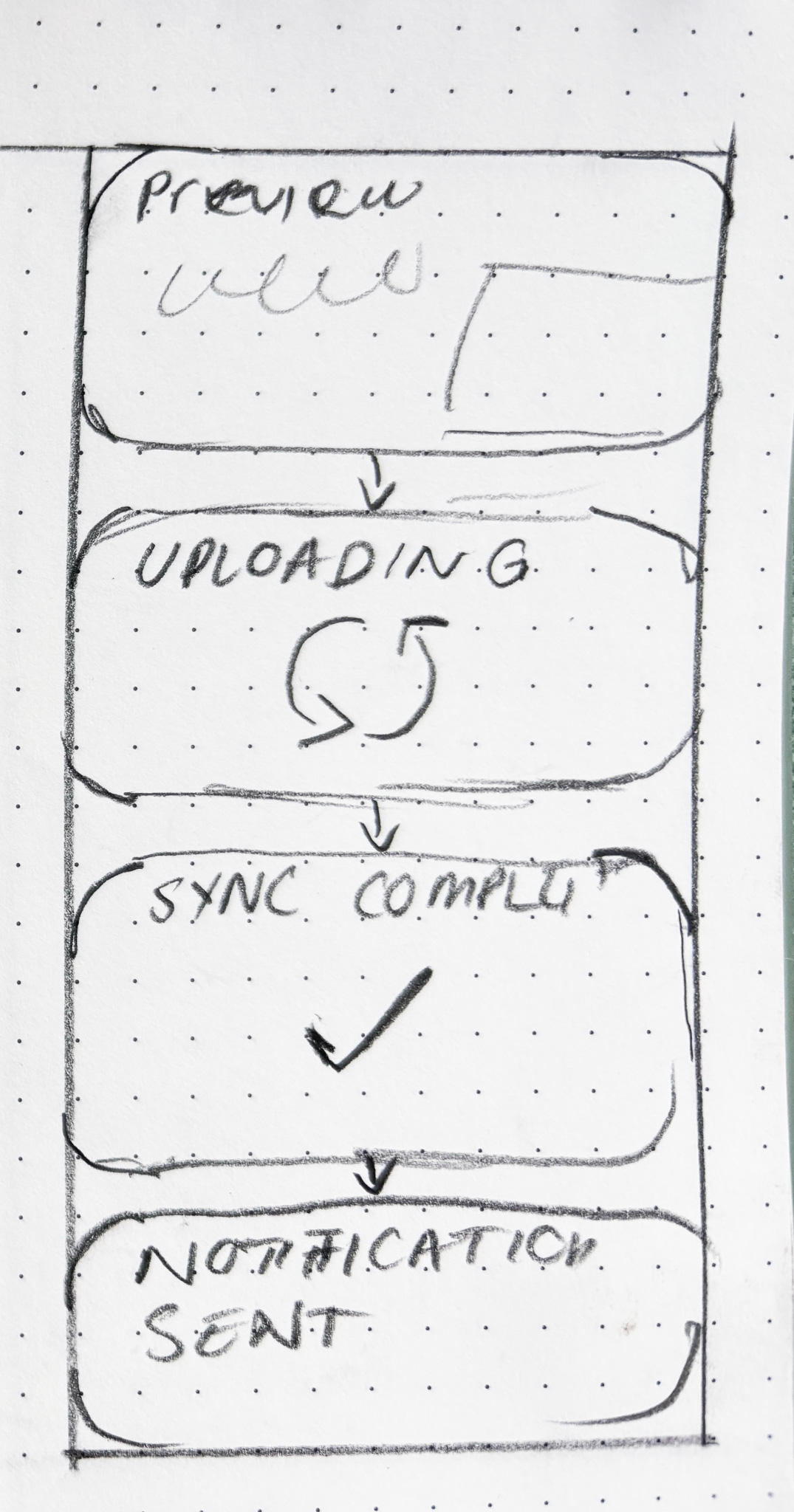
1 Trip Workspace User is in their shared trip workspace 2 Open Files Navigate to the shared file hub 3 Tap "Upload" Start uploading new content 4 Choose File Select a GPX file from your device 5 Preview File Review the file before uploading 6 Upload Confirm and upload the route 7 Uploading… Route is syncing to the shared workspace 8 Sync Complete Route has been successfully uploaded 9 Notify Members All trip members receive an update
Sketches

Low Fidelity Wireframes

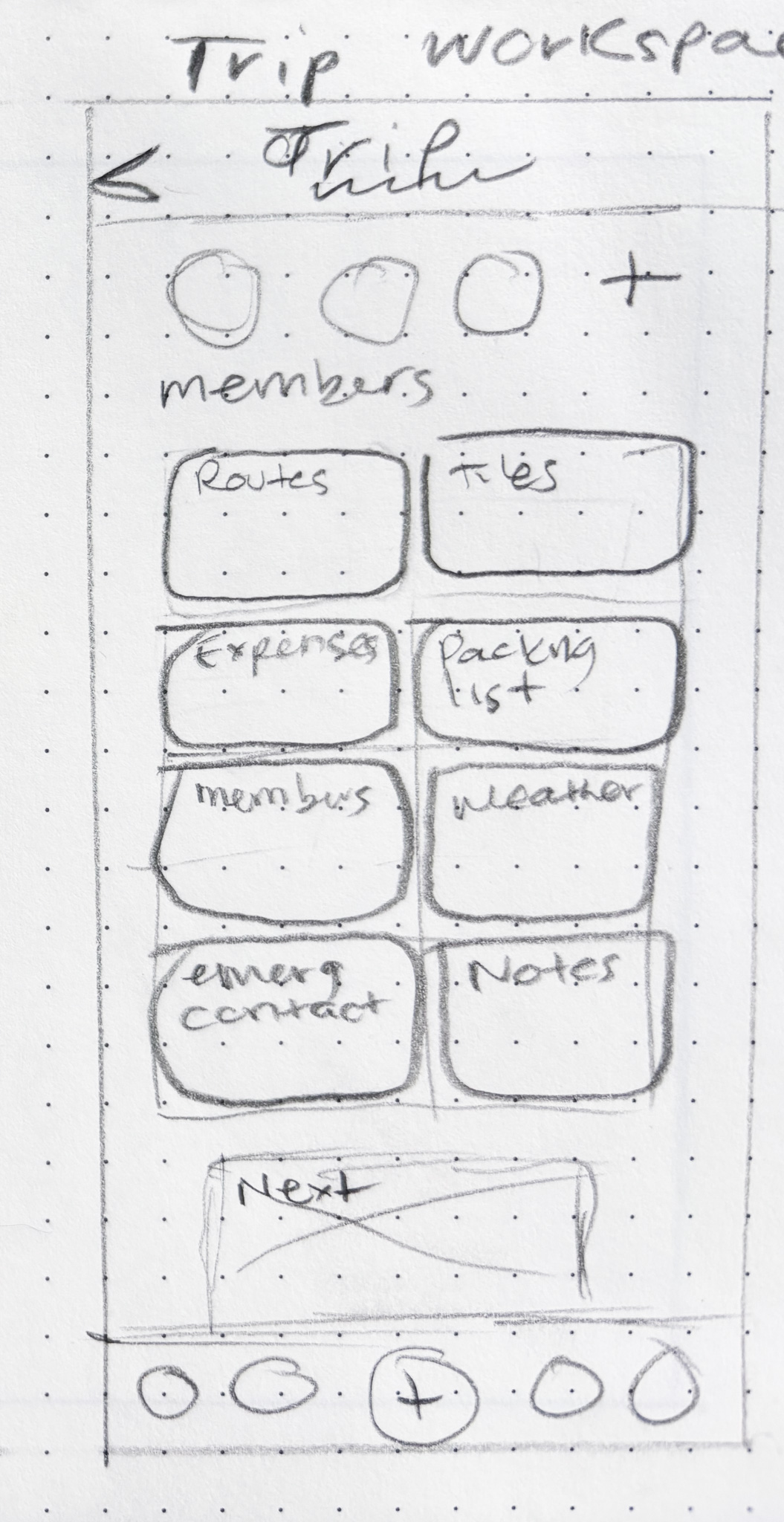
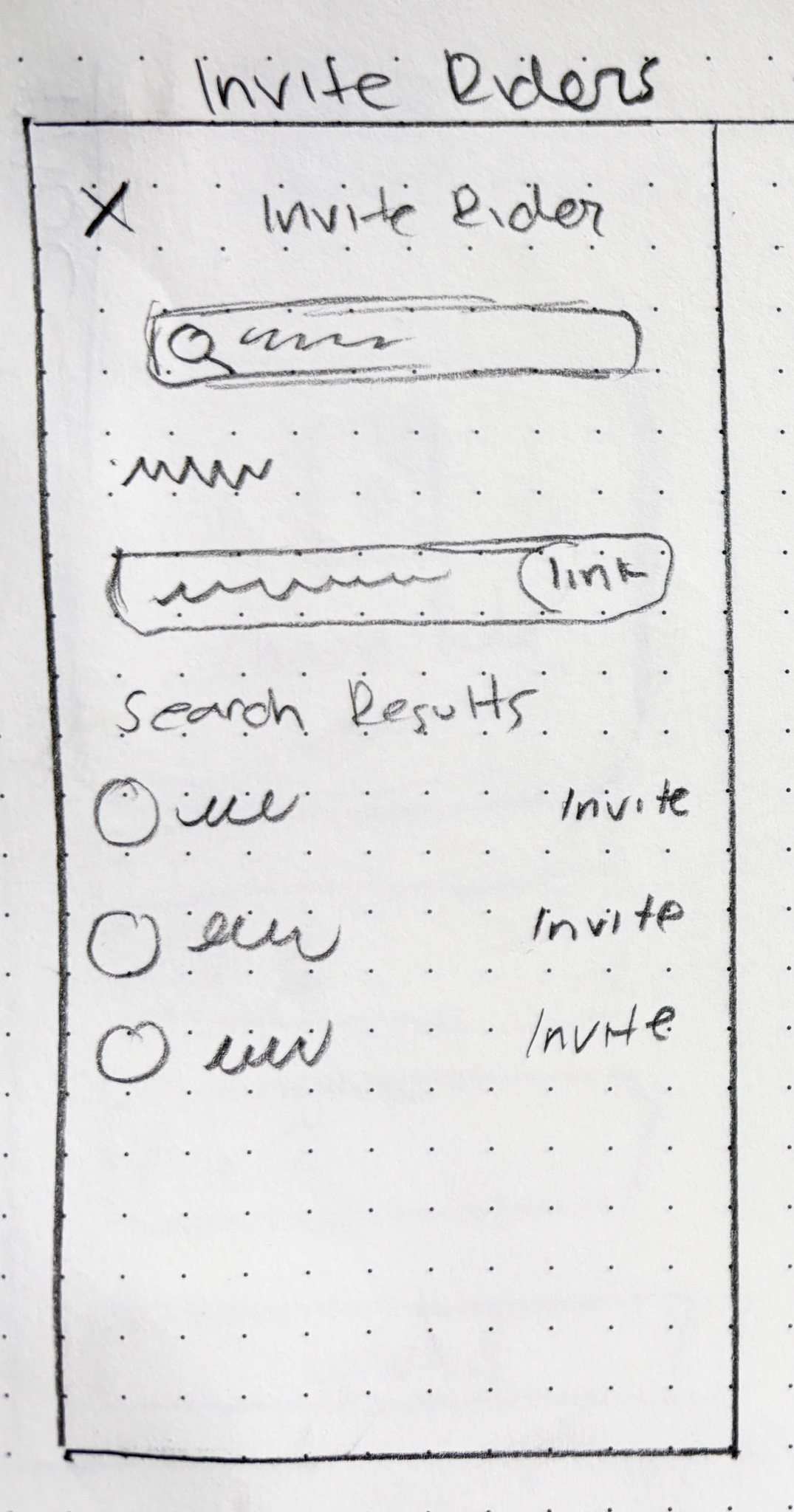
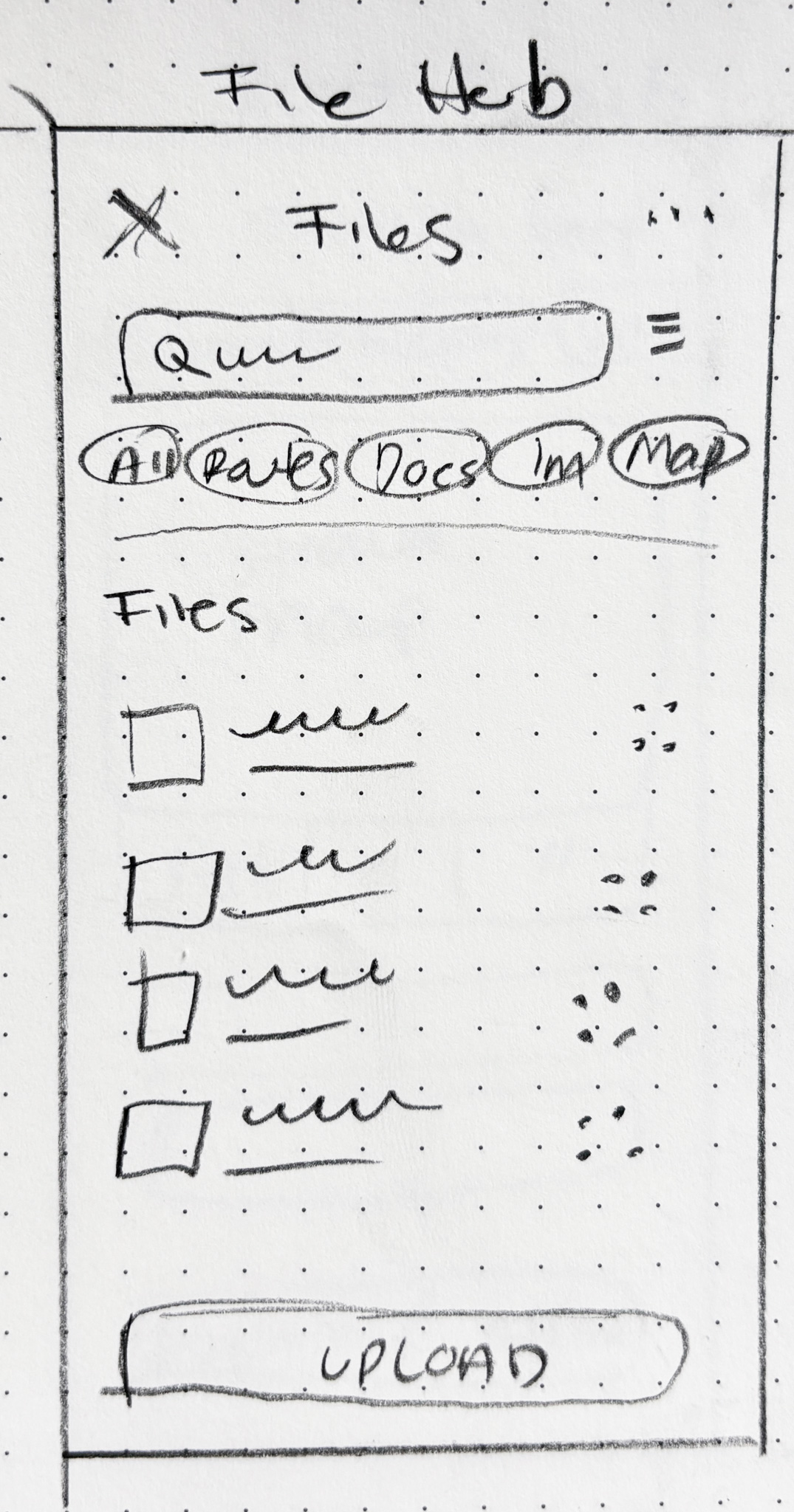
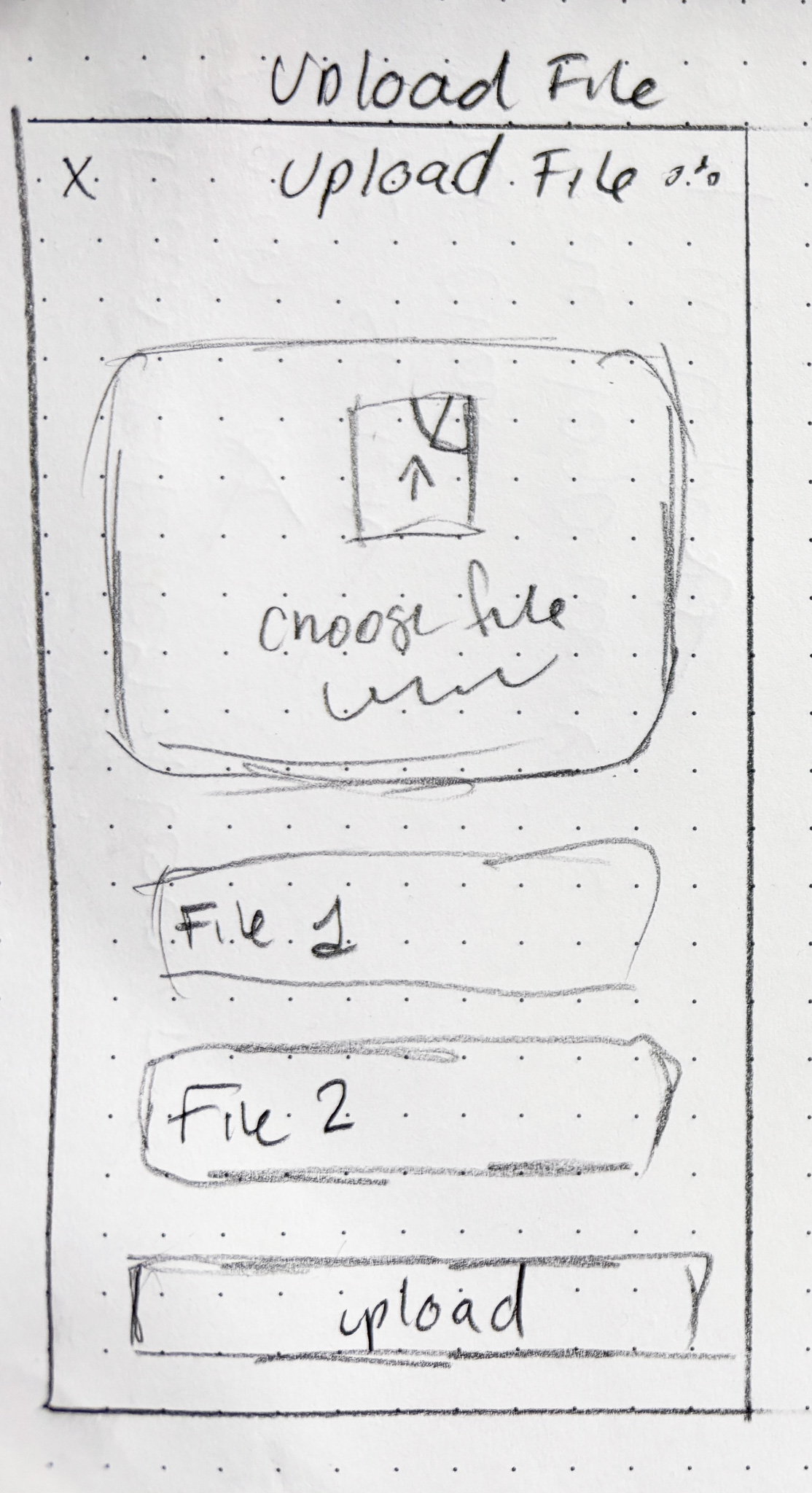
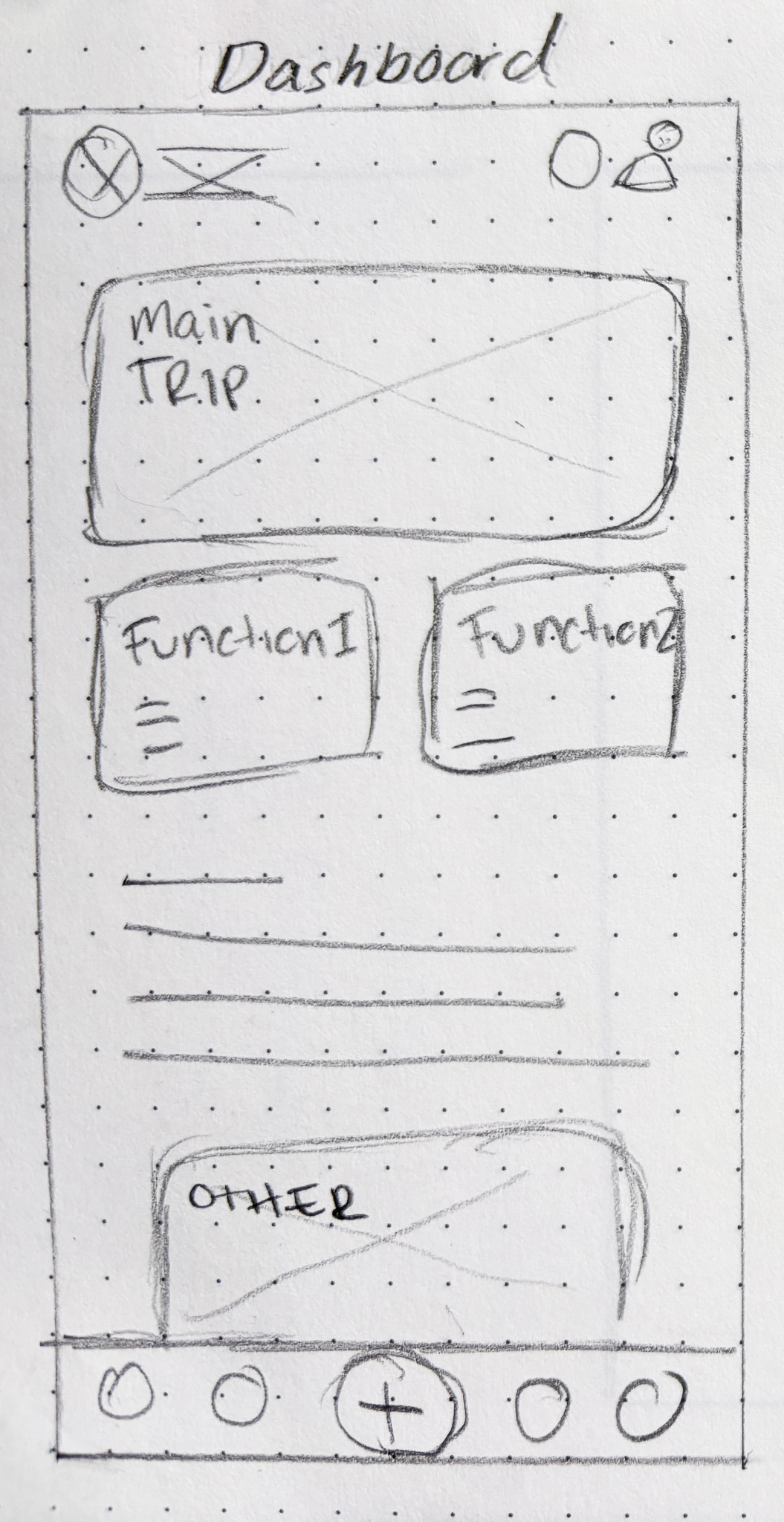
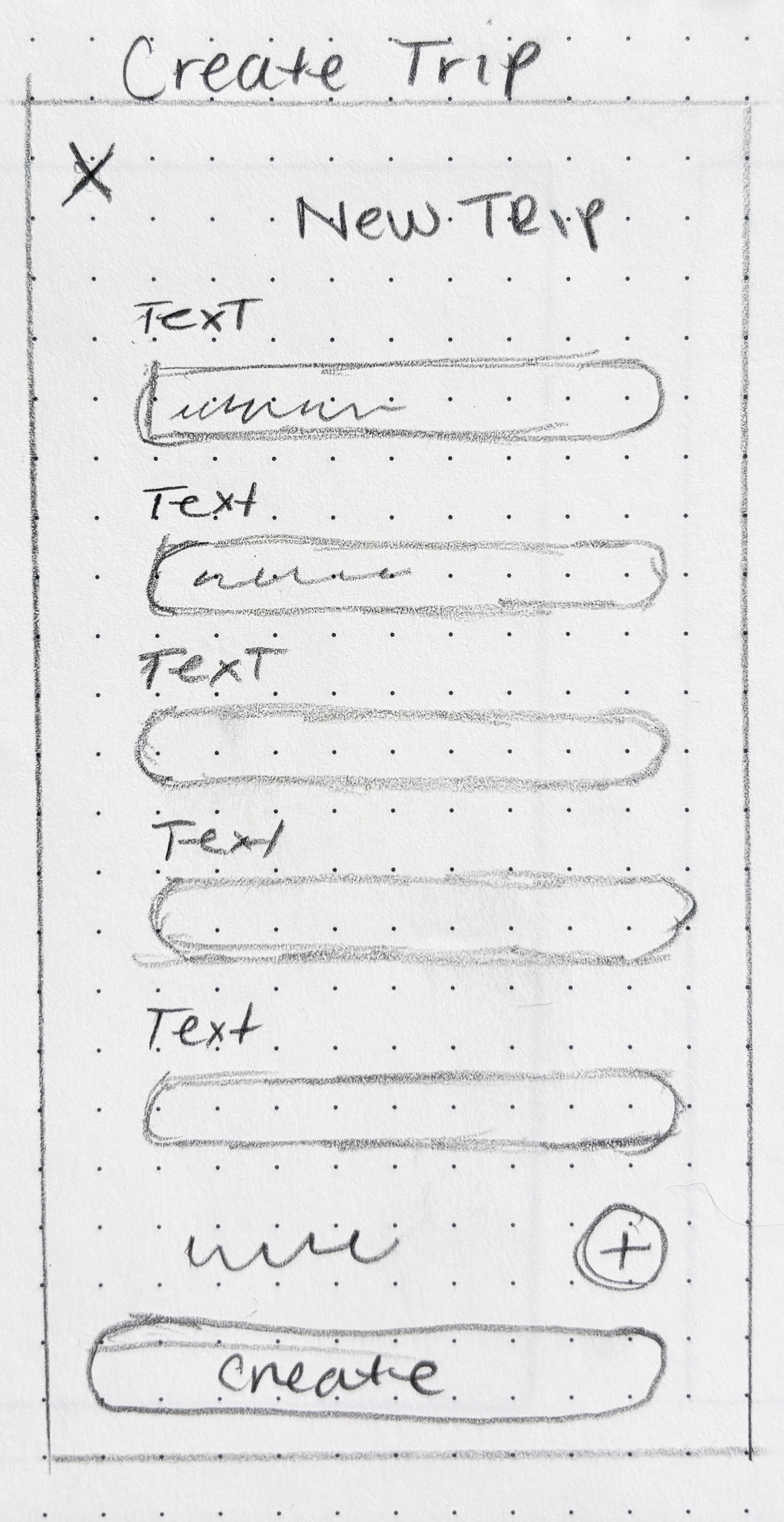
One of the primary challenges during wireframing was balancing functionality with simplicity. Consistent naming conventions and information hierarchy helped ensure users could move confidently through the app and always understand where they were.
Dashboard
Low fidelity wireframe of the Dashboard screen
Create Trip
Low fidelity wireframe of the Create Trip screen
Trip Workspace
Low fidelity wireframe of the Trip Workspace screen
Invite Riders
Low fidelity wireframe of the Invite Riders screen
Choose File
Low fidelity wireframe of the Choose File screen
Upload File
Low fidelity wireframe of the Upload File progress states
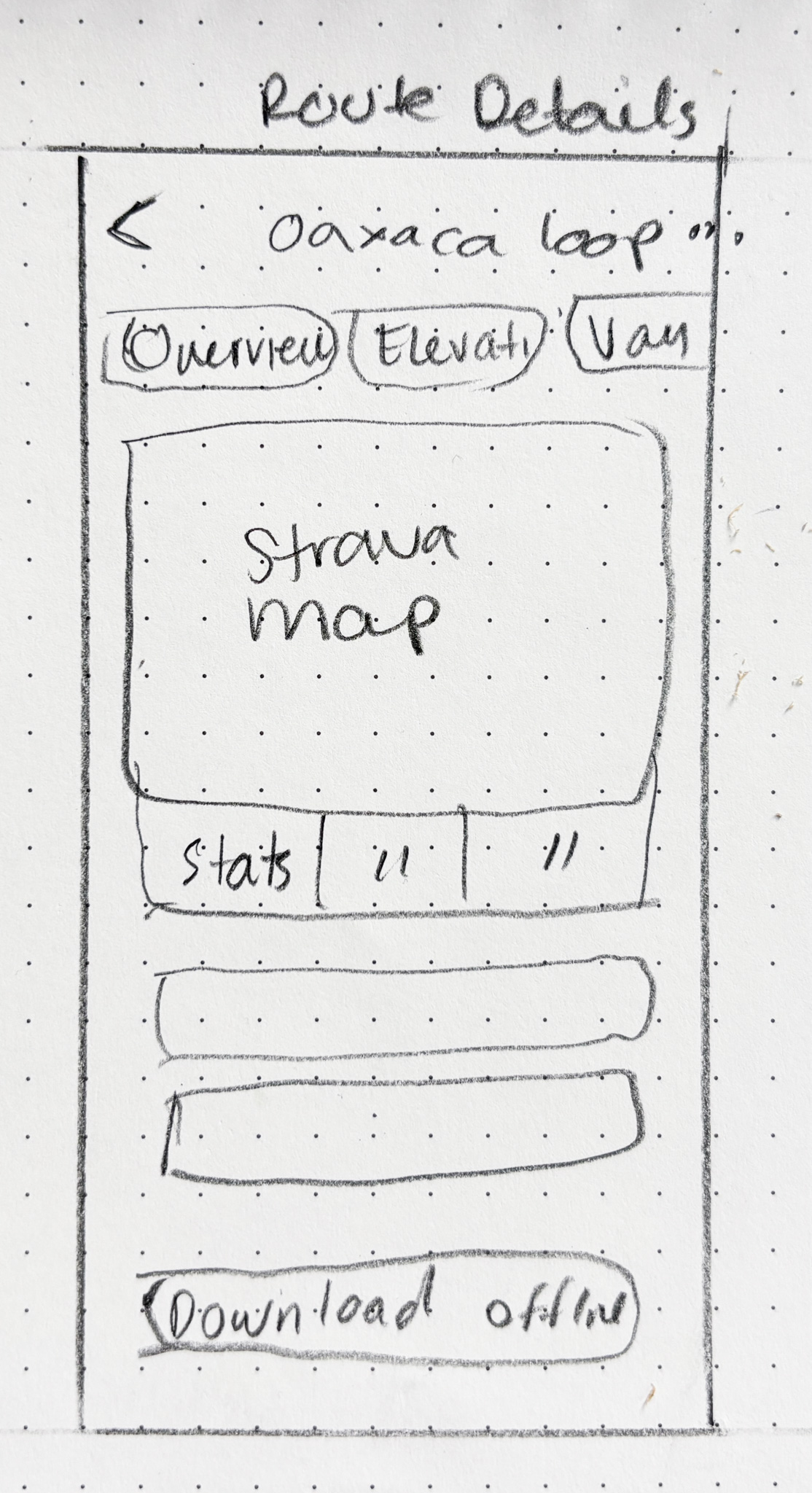
Route Details
Low fidelity wireframe of the Route Details screen
Functions
Low fidelity wireframe of the File Hub screen
Refining the flow

Mid Fidelity Wireframes

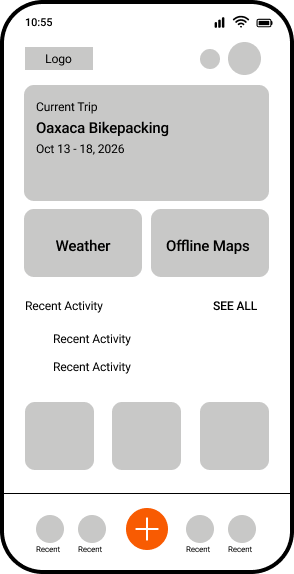
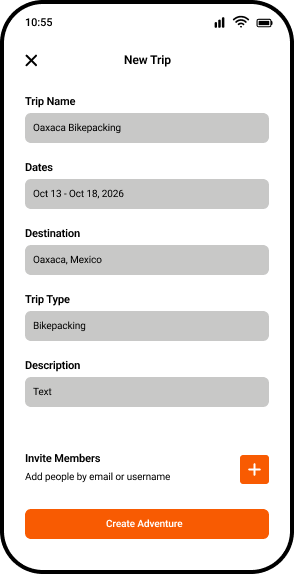
Goal: creating a new trip and inviting collaborators. The goal was to validate the app's core experience before moving into visual design, ensuring users could easily begin planning and collaborating in one shared workspace.
Dashboard
Mid fidelity wireframe of the Dashboard screen
Create Trip
Mid fidelity wireframe of the Create New Trip screen
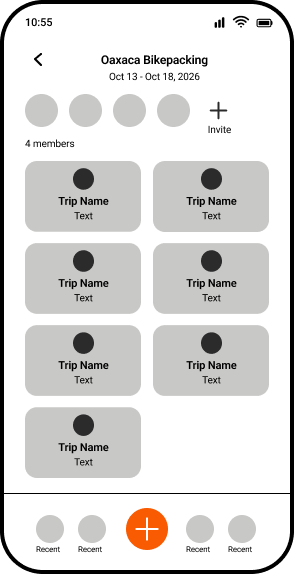
Trip Workspace
Mid fidelity wireframe of the Trip Workspace screen
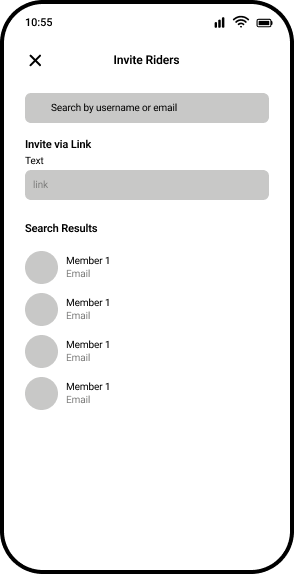
Invite Riders
Mid fidelity wireframe of the Invite Riders screen
Visual Design

TrailSync Design System

A collaborative workspace for multi-day bikepacking adventures — the visual language that ties it together.

The colors and type below are TrailSync's own product brand — distinct from the portfolio you're reading this on.
01 · Color Palette — Brand
Adventure Orange
#F97316
Forest Green
#1F5134
Moss Green
#5B8A59
Sky Blue
#4C8BF5
Trail Red
#D9534F
Golden Hour
#D6A648
02 · Typography — Roboto
Display / 32 BoldTrailSync
Heading 1 / 28 BoldCurrent Trip
Heading 2 / 26 SemiBoldDashboard
Body / 16 RegularSupporting information goes here.
Caption / 12 MediumUpdated 2 hours ago
04 · Icon Library (Figma)
Mountain
Offline
Home
Members
Weather
File
Upload
Trips
05 · 8pt Grid System
8
16
24
32
40
48
56
64
High Fidelity

Prototyping

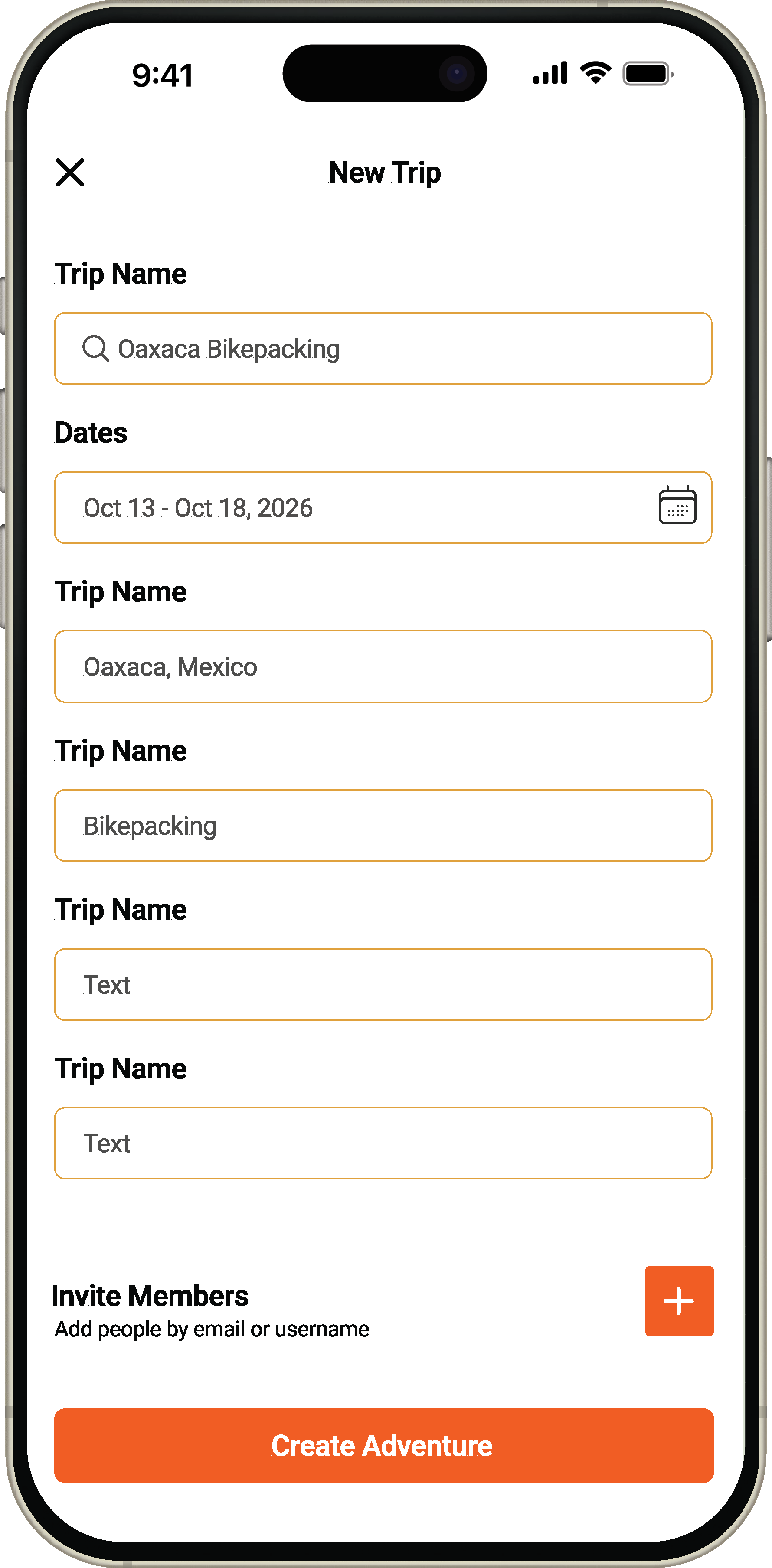
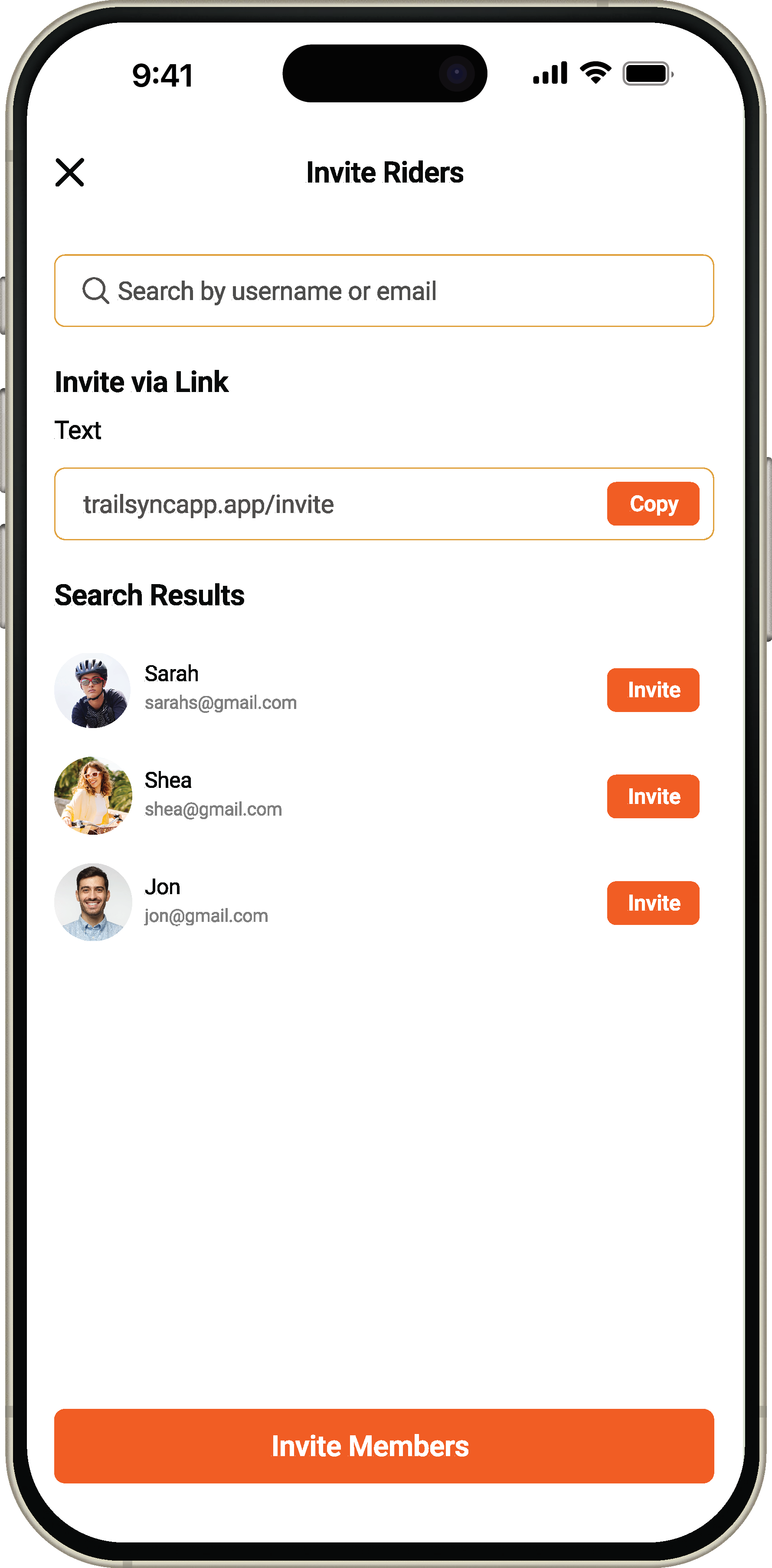
The final prototype brought together the TrailSync design system with the validated flows from wireframing — bringing color, real content, and interaction states into the Dashboard, Trip Creation, Trip Workspace, and Invite Riders screens.
Dashboard
Prototype of the Dashboard screen
Create Trip
Prototype of the Create New Trip screen
Trip Workspace
Prototype of the Trip Workspace screen
Invite Riders
Prototype of the Invite Riders screen
Upload File
Prototype of the Upload File screen
File Hub
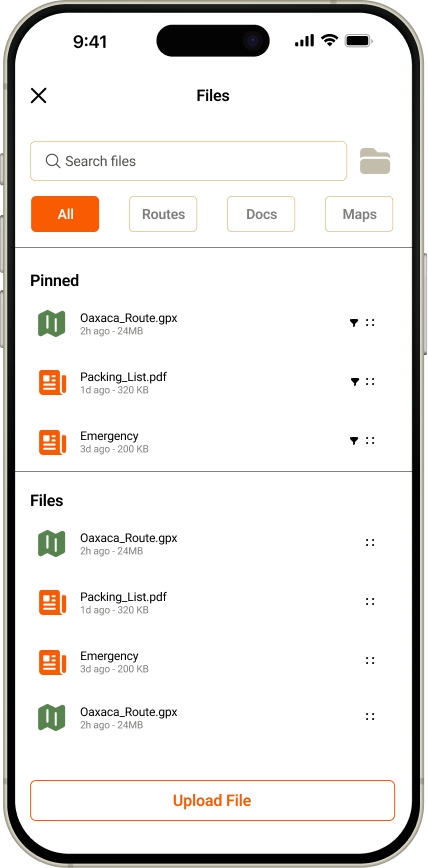
Prototype of the File Hub screen
Route Details
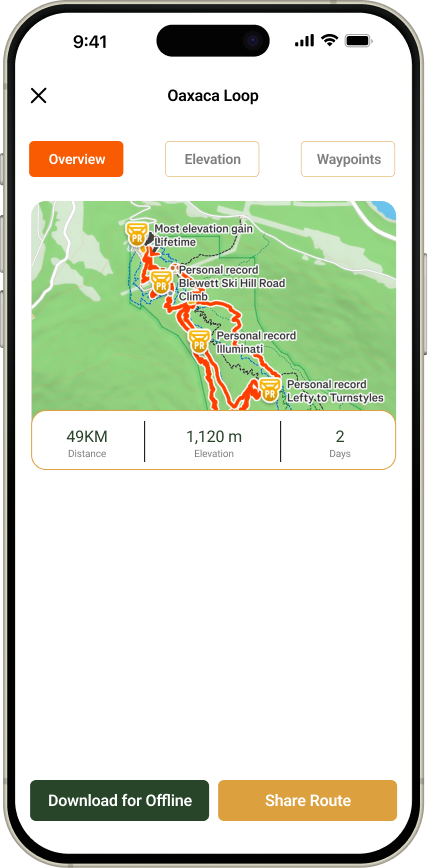
Prototype of the Route Details screen
Reflection

What I learned

Thoughts, reflections, and learning points from this project.

What worked well?
Working within the consistency of an 8pt grid system was, unsurprisingly to everyone but me, a revelation. It brought a level of rigor and alignment to the design that I hadn't fully appreciated until I saw it in practice — I'm looking forward to bringing structured grid systems into future projects.
What would you do differently?
I'd revisit the design system and overall brand direction. As it stands, TrailSync reads very similarly to other outdoor apps on the market. To stand out and resonate with a specific demographic, it needs a more distinct, modern visual identity — something I'd prioritize earlier in the next iteration.
Key takeaway
Learning new tools matters, but only when it's balanced against the design principles that don't change. Techniques and habits evolve; the fundamentals of good design are what you can always rely on.
Looking ahead

Recommendations & next steps

Where TrailSync could go from here.

Usability testing
Further testing on the current flows is a priority — particularly a deeper look at the Invite Riders experience, since seamless collaboration is central to what makes this a group planning app rather than just a solo trip tracker.
Feature to explore
My next major focus for TrailSync is strengthening the sync experience: uploading a GPX file to the Trip Workspace and syncing it across the group automatically. The goal is for every member to have reliable access to the same navigation files at all times, no matter who added them.
Scaling the product
This case study focused specifically on bikepacking, but TrailSync's real ambition is bringing any group adventure into one shared trip. Backpacking, portage routes, and multi-day walking tours should all be just as supported as bikepacking is today.
Get in touch

Let's chat!